Printer management — every device on the same job
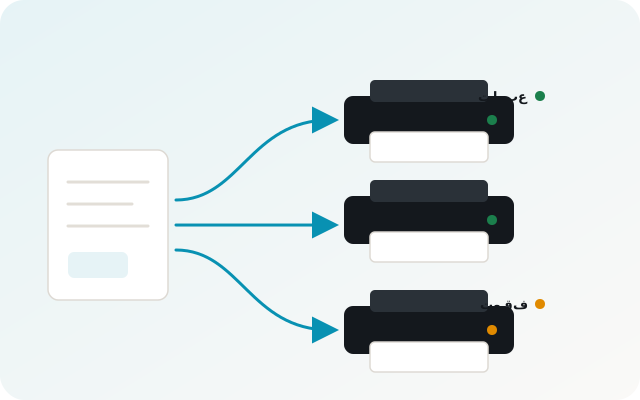
Instead of opening each printer separately and splitting work by hand, Apex Print distributes the job automatically across available printers and shows the state of every device on one screen — what is printing, what stopped, and why.
The problem it solves
- Splitting work across printers manually is slow and error-prone.
- A printer runs out of paper and nobody notices for half an hour.
- There is no single place showing all queues together.
- Urgent work is delayed because only one printer is working on it.
How Apex Print works
Automatic job distribution
Pick the printers to use and the app spreads files across them to cut turnaround — or prints the same files on each one.
Every printer status in view
A colour dot and a clear state per device: printing, done, waiting, or stopped — readable from a distance.
One queue for everything
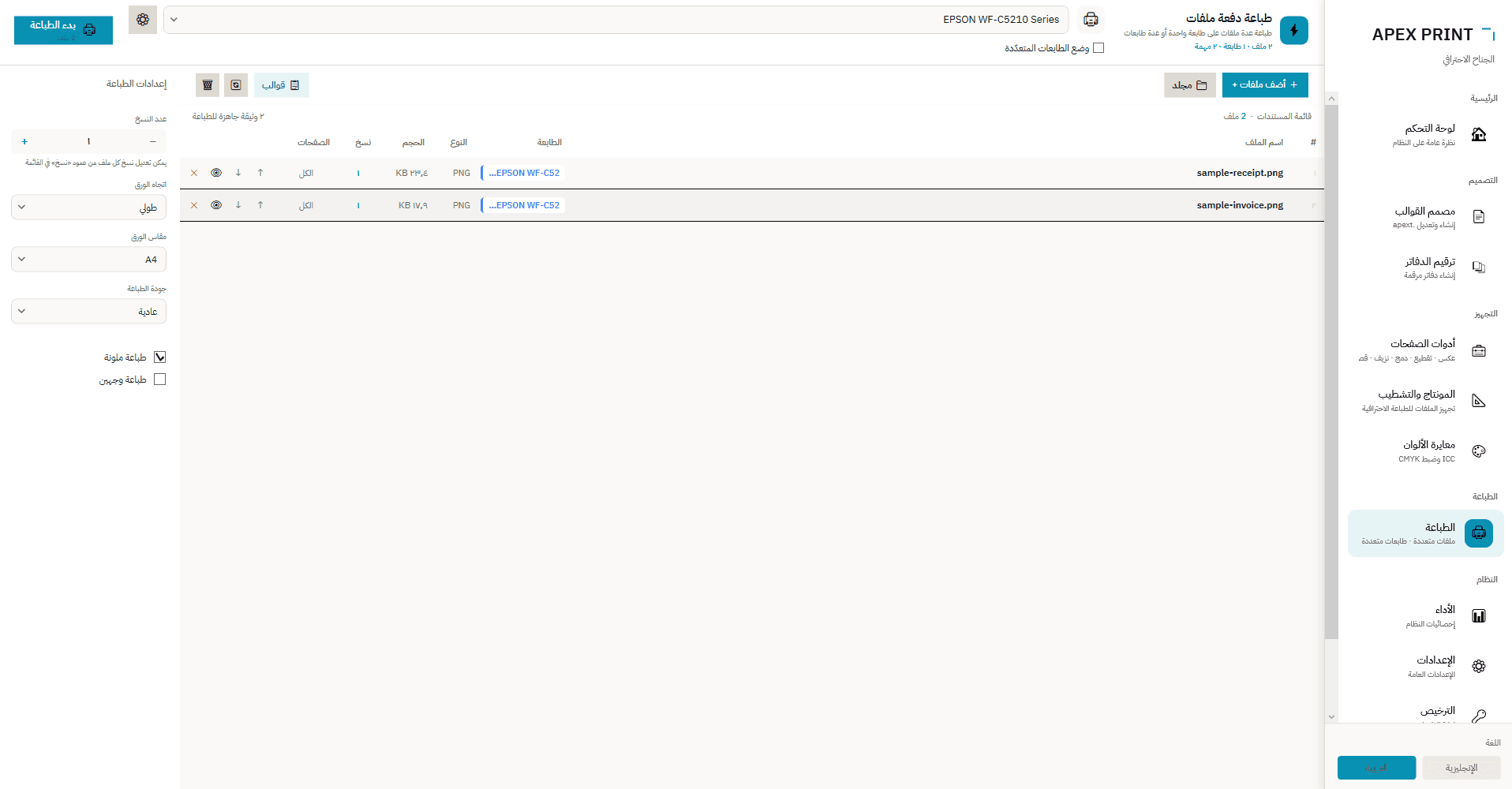
All files in a single list with per-file copies and page ranges, reorderable before the run starts.
A stopped printer is never skipped
If a printer runs dry, its work stays reserved until it is refilled — no missing pages and no silent rerouting.
At a glance
- As many printers as you have
- Load-balanced or copy-on-each mode
- Live progress tracking
- Per-job settings: copies, orientation, size, quality, duplex
- Independent page range and copies per file
- Supports PDF, DOCX, XLSX and images
Print management FAQ
Does it work with several printers at once?
Yes — one job can be spread across all available printers to cut turnaround time, or the same files sent to each printer.
Does it work with any printer?
It works with any printer installed on Windows with a driver — laser, inkjet or production device.
What happens if a printer stops?
Its state and the reason are shown, and its work stays reserved until the problem is fixed, so no pages are lost.
Put every printer to work
Download the trial and distribute a real job across your devices.
More in the same app
Automatic sequential numbering — without a numbering machine
booklet numbering software
Imposition — lay out the sheet properly, waste less paper
imposition software for print shops
PDF tools — files reach the printer ready
pdf prepress tools
Template designer and data merge
variable data printing template designer