PDF tools — files reach the printer ready
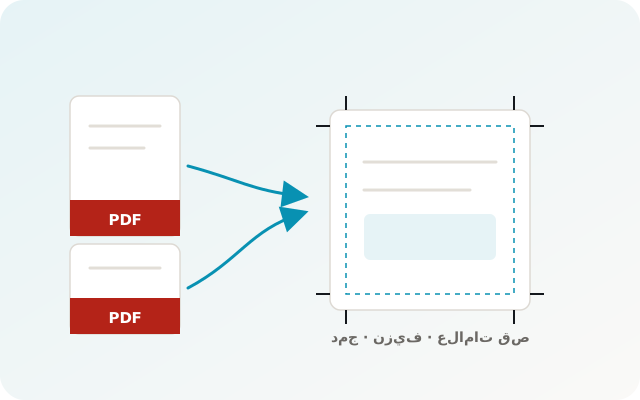
Most printing problems start with an unprepared file. Apex Print’s tools get files press-ready: page order, bleed, crop marks, and a preflight check before you start.
The problem it solves
- Customer files arrive in the wrong page order or a different size.
- You discover the file has no bleed after printing.
- Merging or splitting files means another application.
- Duplex scans need collating and reordering.
How Apex Print works
Order, split and merge
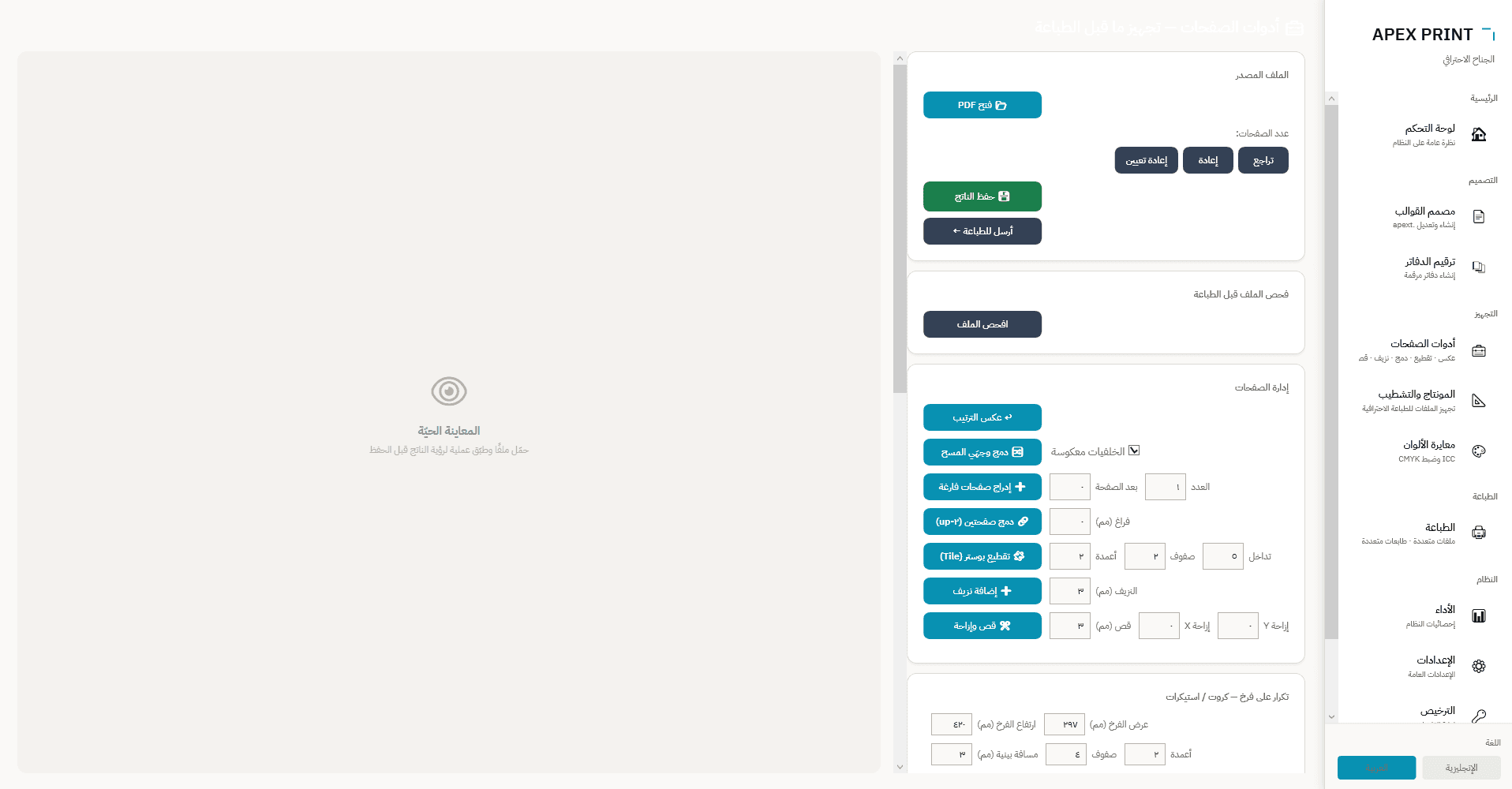
Reverse order, delete or extract pages, merge files and split a large document — all from one screen.
Press preparation
Add bleed and crop marks, join two pages per sheet (2-up), and tile a poster across sheets.
Collate scanned sides
If fronts and backs were scanned into two files, the app interleaves them in the right order.
Preflight
A quick check surfaces common problems before printing, so you fix them on screen, not on paper.
At a glance
- Merge, split, delete and extract pages
- Reverse order and collate scanned sides
- Bleed and crop marks
- 2-up joining and poster tiling
- Insert blank pages after a given page
- Preflight check, with undo/redo on every step
PDF tools FAQ
Do I still need Acrobat?
For everyday print preparation, no — the core prepress tools are inside Apex Print, and the file can be sent to print directly afterwards.
Can I undo a change?
Yes, every step can be undone and redone before the output file is saved.
Get your files press-ready
Download the trial and run the tools on a real file.
More in the same app
Automatic sequential numbering — without a numbering machine
booklet numbering software
Printer management — every device on the same job
print management software multi printer
Imposition — lay out the sheet properly, waste less paper
imposition software for print shops
Template designer and data merge
variable data printing template designer